

Hello Windows Insiders,
We have new releases today with builds across Beta and Experimental.
New builds this week
Today we are releasing new Windows 11 Insider Preview Builds. As a reminder, all Insiders can find the release notes for your device based on the new channel system, even if you haven’t moved yet. This is to make finding build information as easy as possible during the transition. See your channel release notes here:
For those on other specific build versions, here are today’s new builds and release notes:
- Beta (26H1): Build 2820.2380
- Experimental (26H1): Build 28120.2387
- Experimental (Future Platforms): We do not have a new build for this channel today, keep an eye out for future announcements.
Notable new features:
[Cloud Recovery]
Release channel: Experimental
- We’re introducing Cloud rebuild, a new recovery option that restores a Windows 11 PC to a clean, known-good state by performing a full OS reinstall, even when Windows won’t boot. Unlike Reset this PC, Cloud rebuild downloads both the target Windows image and the device’s drivers from Windows Update, so the device comes back fully functional without USB media, without a custom image, and without depending on the health of the currently installed OS.
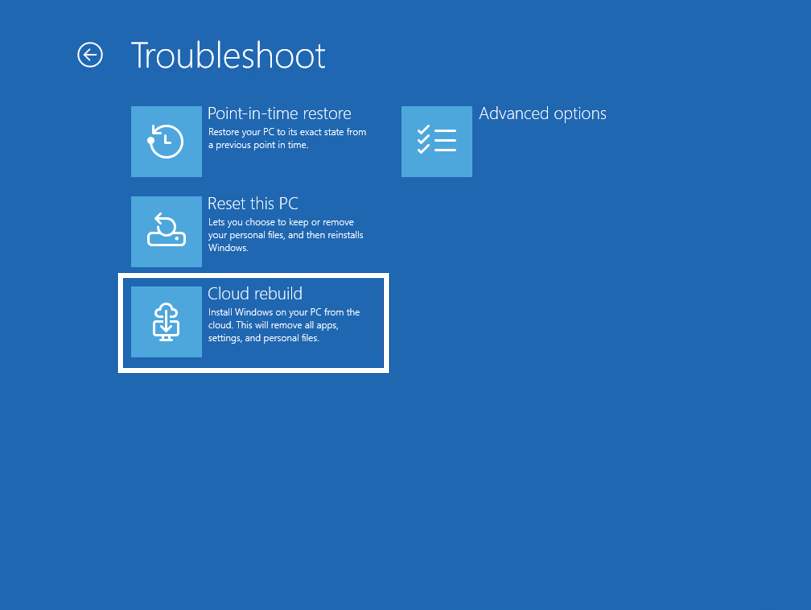
To learn more, see https://aka.ms/CloudRebuild.
[Account Control]
Release channel: Experimental
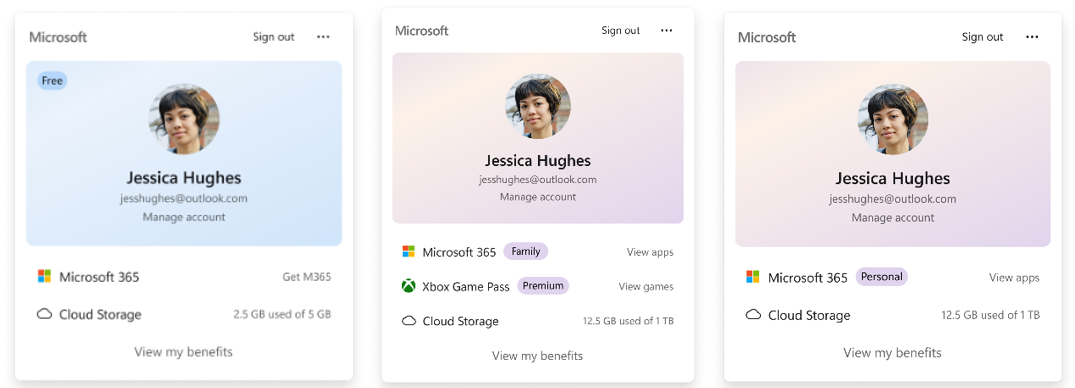
- The Windows 11 Account Control flyout has a refreshed, modern design and a clear subscription badge to make the user’s account status instantly visible. This helps users easily identify their plan, discover benefits, and explore upgrades.
Thanks,
Stephen and the Windows Insider Program team


